Key Takeaways
Explainer videos turn complex product updates into simple visuals that every team can understand quickly, regardless of technical expertise.
They deliver consistent information across departments, reducing confusion and ensuring everyone receives the same launch message at the same time.
Visual explanations improve team alignment, helping sales, support, marketing, and operations stay coordinated during fast rollouts.
Employees adopt new features faster because videos demonstrate real workflows, use cases, and role-specific scenarios they can relate to.
Building a reusable explainer video library cuts down repetitive employee training, supports remote teams, and provides always available reference material.
Communication breakdowns during internal rollouts affect how quickly teams adopt new products. A recent survey shows that 29 percent of employees feel changes at work are not communicated clearly, which directly slows productivity and engagement. When a new feature or product enters the workflow, different teams often receive different versions of the message. Sales hears one explanation, support receives another, marketing interprets it differently, and operations tries to piece everything together. This scattered communication creates hesitation and delays. Companies are now shifting toward internal explainer videos because visual guidance removes complexity and confusion. These videos deliver the same message to every department, simplify learning, and help employees understand what is changing and why it matters from the start.
Why Internal Product Launches Need Clear, Consistent Communication
Internal product launches often fail because different teams receive information in fragments. Sales may hear about value changes, support may get feature notes, and marketing may receive positioning updates later. This creates inconsistent messaging during a time when clarity matters most. Complex product changes require guidance that is easy to understand and easy to share.
Rollouts also come with pressure and strict timelines, so confusion slows everything down. Clear communication reduces early friction and improves team alignment across departments. When everyone receives the same explanation at the same time, decisions become faster, adoption feels smoother, and execution stays consistent.
Why Explainer Videos Work Perfectly for Internal Product Launches
Explainer videos fit internal launches because they simplify information, support fast learning, and strengthen employee training during product changes. Teams understand new features quickly when updates are shown visually instead of explained through long documents.
Break Down Complex Features Into Easy-to-Understand Visuals: Visual explanations simplify layered or technical updates into clear steps employees can follow. Teams quickly see how a feature works and how it fits their daily tasks.
Provide Unified Messaging for All Teams: One video sends the same message to sales, support, marketing, and operations. This eliminates confusion, maintains alignment, and ensures every department receives accurate and consistent product information.
Show Real Use Cases, Workflows, and Scenarios: Videos demonstrate real situations employees face during launches. They see workflows, outcomes, and steps clearly, which helps them apply new processes confidently and reduce mistakes during early adoption.
Help Non-Technical Teams Quickly Understand New Features: Non-technical roles often struggle with written product updates. Videos use simple explanations and visual context to make new features easy to understand without deep technical knowledge.
Build Excitement While Delivering Accurate Information: Videos make launches feel engaging and energising. They present updates with clarity and creativity, motivating employees to explore new features while ensuring the information stays accurate and reliable.
Read more: Why Explainer Videos Are Essential for Government Awareness Campaigns
Departments That Benefit Most From Internal Product Explainer Videos
Explainer videos support smoother launches by giving every department clear, consistent information. They strengthen internal communication, improve internal marketing, and help teams understand new features, workflows, and expectations without confusion or repeated explanations.
Sales Teams Need Clear Value Messaging
Sales teams rely on strong value messaging to present new features confidently. Explainer videos help them understand benefits, use cases, and customer outcomes clearly. This reduces guesswork, improves pitch consistency, and helps sales representatives communicate product advantages accurately across different customer conversations.
Customer Support Needs Feature and Troubleshooting Clarity
Support teams handle questions immediately after a launch. Explainer videos show updated screens, error possibilities, troubleshooting steps, and workflow changes. This reduces escalations, shortens response times, and prepares support staff to guide customers effectively using accurate, easy-to-reference visual instructions.
Marketing Needs Unified Positioning
Marketing teams require a clear, unified product message for campaigns, updates, and communication materials. Explainer videos ensure they receive the correct positioning from day one. This prevents fragmented messaging and helps marketing create consistent content that accurately represents the product across channels.
Operations Need Workflow Changes Explained
Operations teams depend on clear process guidance during product rollouts. Explainer videos demonstrate new steps, transitions, and SOP updates in a structured way. This helps teams follow changes confidently, reduce mistakes, and maintain smooth daily operations without relying on lengthy documents.
HR and L&D Need Training Content for Employees
HR and L&D teams use explainer videos to create repeatable training modules for employees. Videos simplify feature updates, support onboarding, and reduce the need for repeated live sessions. This helps organisations train employees faster with consistent, easy-to-understand learning material.
Leadership Needs High-Level Summaries
Leadership teams focus on strategic outcomes, not technical details. Explainer videos help them grasp the purpose, benefits, and expected impact of new product features quickly. This supports faster decision-making, stronger alignment, and clearer communication across the organisation during important rollouts.
Internal Team Need vs Ideal Explainer Video Type
Explainer videos help different departments understand product updates in ways that match their specific responsibilities. Each team needs a tailored message, and the right video format ensures clarity, faster adoption, and smoother internal rollout.
Team / Department | Launch Need | Ideal Video Type | Message Focus | Expected Outcome |
Sales | Understand value propositions, pitch flow, and customer benefits | Product Overview Video | Key benefits, value story, competitive angle | Stronger pitches, confident communication, and higher product adoption in sales conversations |
Marketing | Align campaigns with correct positioning and messaging | Feature Walkthrough Video | Product narrative, use cases, visual positioning | Consistent marketing content and accurate brand representation |
Support | Learn troubleshooting updates, new UI paths, and common issues | Troubleshooting and FAQ Video | Errors, fixes, navigation, customer scenarios | Faster resolutions, fewer escalations, improved customer satisfaction |
Operations | Understand workflow changes, new SOP steps, and process updates | Workflow and SOP Explainer | Step-by-step actions, compliance needs, and operational clarity | Smooth transitions and reduced operational disruption |
Product | Communicate the feature's purpose, roadmap context, and user behaviour | Scenario-Based Explainer | Role-specific scenarios, problem-solving, and flow understanding | Better organisational awareness and cross-functional understanding |
Leadership | Review high-level changes and strategic impact | Change Management Video | Business outcomes, vision, measurable goals | Faster decision-making and clear leadership alignment |
Read more: Interactive Explainer Videos: The Next Frontier in Engagement
Types of Explainer Videos Ideal for Internal Product Launches
Explainer videos support internal launches by simplifying communication and improving clarity across teams. Companies use internal explainer videos to deliver accurate feature details, workflow updates, and structured guidance that helps employees understand product changes quickly and confidently during fast rollouts.
Product Overview Videos
Product overview videos introduce the product’s purpose, main features, and business value. They help teams understand the bigger picture before diving into detailed guidance. These videos set context, reduce confusion, and prepare employees for deeper learning during internal product rollout.
Feature Walkthrough Videos
Feature walkthrough videos guide employees through new screens, interactions, and updates step by step. They make technical changes easier to understand by showing exactly how a feature works. This helps teams use new functions confidently without needing long documents or detailed training sessions.
Workflow and SOP Explainers
Workflow and SOP explainer videos show how everyday tasks change after a product update. They present step sequences visually, which helps operations, support, and cross-functional teams adapt quickly. These videos reduce mistakes, speed up adoption, and maintain smooth processes during internal product transitions.
Scenario-Based Videos
Scenario-based videos demonstrate real situations employees face after a launch. They show how different roles should use the product across typical workflows. This helps teams understand why changes matter, how to respond in practical situations, and how to apply features correctly in daily work.
Troubleshooting and FAQ Videos
Troubleshooting and FAQ videos help support and customer-facing teams resolve issues faster. They highlight common errors, fixes, and navigation steps. These videos reduce escalations, strengthen employee confidence, and provide an easy reference that teams can revisit whenever they need quick problem-solving guidance.
Change Management Videos
Change management videos explain why a product update was introduced and what positive outcomes employees should expect. They help reduce resistance and uncertainty by showing the benefits clearly. These videos support smoother transitions, encourage buy-in, and strengthen overall team readiness during internal product launches.
How Explainer Videos Improve Internal Alignment
Explainer videos improve alignment by giving all teams a single source of truth. Clear visuals reduce confusion, support faster understanding, and help departments stay coordinated during internal product rollouts.
Ensure Every Team Receives Identical Information: Every department gets the same explanation, reducing message gaps and preventing different interpretations during fast product rollouts.
Reduce Miscommunication Across Departments: Videos remove ambiguity by replacing scattered notes with one accurate source that teams can trust for feature details and workflow updates.
Provide Easily Accessible Reference Material: Employees can revisit videos anytime for clarity, reducing dependency on managers and eliminating repeated training requests.
Strengthen Collaboration Across Teams: When everyone understands changes clearly, cross-functional discussions become smoother, faster, and more productive.
Help Employees Explain Product Changes to Customers: Customer-facing teams communicate updates confidently because they understand features, benefits, and workflows accurately from the video.
How Explainer Videos Speed Up Product Adoption
Explainer videos speed up product adoption because teams learn faster through visual demonstrations. Instead of reading long documents, employees see how a feature works and how workflows change. This reduces dependence on live training sessions and keeps teams moving without scheduling delays.
Videos also increase retention because employees can rewatch modules whenever they need clarity. Remote and hybrid teams receive the same learning experience without extra coordination. These videos also support new hires after launch, giving them instant access to accurate guidance so they can understand features quickly and start contributing with confidence.
Challenges Companies Face When Using Explainer Videos for Internal Launches
Companies benefit from explainer videos during internal launches, but a few challenges can slow results. Most issues come from unclear coordination, outdated content, or messaging that does not match team needs.
Difficulty Simplifying Technical Information for Non-Technical Teams: Product details often feel too complex for non-technical roles. Without simplifying the message, videos create confusion instead of helping employees understand new features clearly.
Misalignment Between Product, Marketing, and Training Teams: Different teams may share mixed versions of the same update. If scripts are not aligned, the video spreads conflicting information that affects learning and rollout consistency.
One Generic Video That Does Not Address Role-Specific Needs: A single video cannot guide sales, support, marketing, and operations equally. Teams need tailored explanations that clarify how the update impacts their specific responsibilities.
Slow Production Timelines That Miss Launch Deadlines: Some companies begin production too late, causing videos to be released after the launch. This delay reduces training impact and slows overall product adoption.
Not Updating Videos After UI or Process Changes: Interfaces and workflows evolve quickly. If videos stay outdated, employees follow the wrong steps, creating confusion and reducing confidence during critical rollout periods.
Read more: Common Mistakes to Avoid in Explainer Video Production
How Companies Can Integrate Explainer Videos Into Internal Launch Campaigns
Companies can integrate explainer videos early by adding short clips to pre-launch announcements and teasers. This builds curiosity, prepares employees for upcoming changes, and introduces the update in a simple, engaging format.
Once the full video is ready, it can be uploaded to onboarding portals or the LMS. This gives teams a central place to revisit guidance anytime. During launch week, the same video can be used in all hands meetings or town hall presentations to ensure every department receives the same clear explanation.
After rollout, videos work well inside email campaigns, Slack, or Teams channels for quick reminders. Companies can also embed snippets into SOPs, help centers, and knowledge bases so employees have visual references directly within their daily tools.
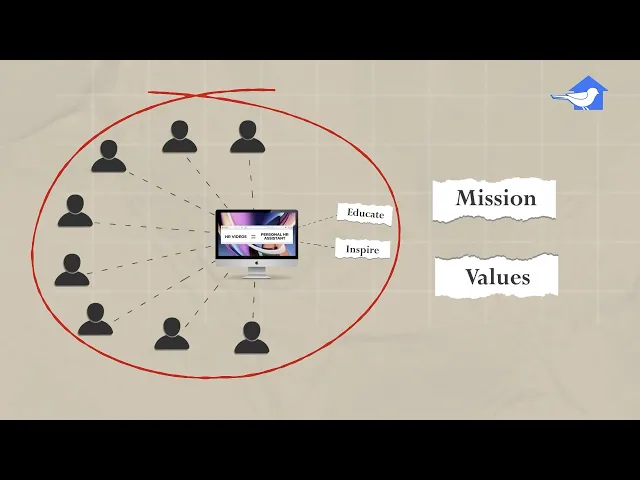
See how HSF helped HR teams simplify onboarding and internal communication with a clear, engaging explainer video that supports employee training and faster adoption. Watch the video:
Best Practices for Creating Effective Internal Launch Explainer Videos
Strong internal launch videos follow clear guidelines that help employees understand updates quickly. These best practices keep messaging simple, accurate, and relevant for every department involved in the rollout.
Keep Messaging Simple, Structured, and Benefit Focused: Clear messaging helps employees understand product changes without confusion. A structured flow and benefit-driven explanation ensure teams grasp what matters most during internal rollouts.
Highlight WIIFM for Each Team: Every department wants to know how changes affect their work. Showing practical benefits helps employees stay engaged and understand their role within the updated workflow.
Use Consistent Branding and Updated UI Visuals: Consistent visuals build trust and prevent misunderstandings. Updated UI screens ensure employees learn from accurate product representations instead of outdated or incomplete interfaces.
Keep Videos Between 1 and 3 Minutes: Short videos communicate information faster and maintain attention. This length helps teams absorb updates without feeling overwhelmed or disengaged during internal launch activities.
Add Subtitles and Multilingual Options: Subtitles support accessibility and help global teams understand updates clearly. Multilingual versions ensure employees in different regions receive the same accurate information.
Validate Content With Product and Compliance Teams: Reviewing scripts and visuals with product and compliance teams ensures accuracy. This prevents errors and keeps all internal communication aligned with verified information.
How House Sparrow Films Helps Companies Create Internal Launch Explainer Videos
House Sparrow Films helps companies simplify internal launches by creating videos that are clear, accurate, and easy for every team to understand. Their scriptwriting process focuses on precise messaging that removes complexity and delivers internal clarity. High-quality animation breaks down features visually, making technical updates simple to follow. They also create scenario-based, role-specific versions so each department receives guidance tailored to their responsibilities. Every video is delivered in LMS-ready formats for smooth global distribution. Localization and accessibility options ensure multinational teams receive consistent, easy-to-understand content across regions.
Conclusion
Clear internal communication shapes the success of every product launch. When employees receive simple, structured guidance, adoption improves, and teams avoid confusion during early rollout. Using internal explainer videos helps organisations create consistent messaging, strengthen alignment, and support smoother execution across departments. Visual learning also gives employees the clarity they need to apply product changes confidently in real workflows. Companies that rely on video-led communication experience faster adoption, fewer delays, and better overall internal efficiency. For launch videos that communicate with accuracy and impact, contact House Sparrow Films to create content aligned with your team's and rollout goals.
FAQs
1. What explainer video types work best for internal launches?
Product overviews, feature walkthroughs, workflow explainers, scenario-based videos, and troubleshooting clips work best because they simplify changes and help teams understand new updates confidently.
2. How long should internal launch explainer videos be?
Most internal launch videos work best at one to three minutes. This length keeps attention high, communicates essential points clearly, and prevents employees from feeling overwhelmed.
3. Can explainer videos replace internal training sessions?
Explainer videos reduce the need for repeated live sessions, but they work best when paired with Q&A discussions or documentation for complete internal understanding.
4. How can companies measure internal video effectiveness?
Teams can track completion rates, feedback, reduced support questions, internal readiness, and overall launch adoption to measure how effective each video is.
5. Should companies create department-specific video versions?
Yes, role-specific versions improve clarity because each department receives guidance tailored to its responsibilities, daily tasks, and use cases during product rollout.
Key Takeaways
Explainer videos turn complex product updates into simple visuals that every team can understand quickly, regardless of technical expertise.
They deliver consistent information across departments, reducing confusion and ensuring everyone receives the same launch message at the same time.
Visual explanations improve team alignment, helping sales, support, marketing, and operations stay coordinated during fast rollouts.
Employees adopt new features faster because videos demonstrate real workflows, use cases, and role-specific scenarios they can relate to.
Building a reusable explainer video library cuts down repetitive employee training, supports remote teams, and provides always available reference material.
Communication breakdowns during internal rollouts affect how quickly teams adopt new products. A recent survey shows that 29 percent of employees feel changes at work are not communicated clearly, which directly slows productivity and engagement. When a new feature or product enters the workflow, different teams often receive different versions of the message. Sales hears one explanation, support receives another, marketing interprets it differently, and operations tries to piece everything together. This scattered communication creates hesitation and delays. Companies are now shifting toward internal explainer videos because visual guidance removes complexity and confusion. These videos deliver the same message to every department, simplify learning, and help employees understand what is changing and why it matters from the start.
Why Internal Product Launches Need Clear, Consistent Communication
Internal product launches often fail because different teams receive information in fragments. Sales may hear about value changes, support may get feature notes, and marketing may receive positioning updates later. This creates inconsistent messaging during a time when clarity matters most. Complex product changes require guidance that is easy to understand and easy to share.
Rollouts also come with pressure and strict timelines, so confusion slows everything down. Clear communication reduces early friction and improves team alignment across departments. When everyone receives the same explanation at the same time, decisions become faster, adoption feels smoother, and execution stays consistent.
Why Explainer Videos Work Perfectly for Internal Product Launches
Explainer videos fit internal launches because they simplify information, support fast learning, and strengthen employee training during product changes. Teams understand new features quickly when updates are shown visually instead of explained through long documents.
Break Down Complex Features Into Easy-to-Understand Visuals: Visual explanations simplify layered or technical updates into clear steps employees can follow. Teams quickly see how a feature works and how it fits their daily tasks.
Provide Unified Messaging for All Teams: One video sends the same message to sales, support, marketing, and operations. This eliminates confusion, maintains alignment, and ensures every department receives accurate and consistent product information.
Show Real Use Cases, Workflows, and Scenarios: Videos demonstrate real situations employees face during launches. They see workflows, outcomes, and steps clearly, which helps them apply new processes confidently and reduce mistakes during early adoption.
Help Non-Technical Teams Quickly Understand New Features: Non-technical roles often struggle with written product updates. Videos use simple explanations and visual context to make new features easy to understand without deep technical knowledge.
Build Excitement While Delivering Accurate Information: Videos make launches feel engaging and energising. They present updates with clarity and creativity, motivating employees to explore new features while ensuring the information stays accurate and reliable.
Read more: Why Explainer Videos Are Essential for Government Awareness Campaigns
Departments That Benefit Most From Internal Product Explainer Videos
Explainer videos support smoother launches by giving every department clear, consistent information. They strengthen internal communication, improve internal marketing, and help teams understand new features, workflows, and expectations without confusion or repeated explanations.
Sales Teams Need Clear Value Messaging
Sales teams rely on strong value messaging to present new features confidently. Explainer videos help them understand benefits, use cases, and customer outcomes clearly. This reduces guesswork, improves pitch consistency, and helps sales representatives communicate product advantages accurately across different customer conversations.
Customer Support Needs Feature and Troubleshooting Clarity
Support teams handle questions immediately after a launch. Explainer videos show updated screens, error possibilities, troubleshooting steps, and workflow changes. This reduces escalations, shortens response times, and prepares support staff to guide customers effectively using accurate, easy-to-reference visual instructions.
Marketing Needs Unified Positioning
Marketing teams require a clear, unified product message for campaigns, updates, and communication materials. Explainer videos ensure they receive the correct positioning from day one. This prevents fragmented messaging and helps marketing create consistent content that accurately represents the product across channels.
Operations Need Workflow Changes Explained
Operations teams depend on clear process guidance during product rollouts. Explainer videos demonstrate new steps, transitions, and SOP updates in a structured way. This helps teams follow changes confidently, reduce mistakes, and maintain smooth daily operations without relying on lengthy documents.
HR and L&D Need Training Content for Employees
HR and L&D teams use explainer videos to create repeatable training modules for employees. Videos simplify feature updates, support onboarding, and reduce the need for repeated live sessions. This helps organisations train employees faster with consistent, easy-to-understand learning material.
Leadership Needs High-Level Summaries
Leadership teams focus on strategic outcomes, not technical details. Explainer videos help them grasp the purpose, benefits, and expected impact of new product features quickly. This supports faster decision-making, stronger alignment, and clearer communication across the organisation during important rollouts.
Internal Team Need vs Ideal Explainer Video Type
Explainer videos help different departments understand product updates in ways that match their specific responsibilities. Each team needs a tailored message, and the right video format ensures clarity, faster adoption, and smoother internal rollout.
Team / Department | Launch Need | Ideal Video Type | Message Focus | Expected Outcome |
Sales | Understand value propositions, pitch flow, and customer benefits | Product Overview Video | Key benefits, value story, competitive angle | Stronger pitches, confident communication, and higher product adoption in sales conversations |
Marketing | Align campaigns with correct positioning and messaging | Feature Walkthrough Video | Product narrative, use cases, visual positioning | Consistent marketing content and accurate brand representation |
Support | Learn troubleshooting updates, new UI paths, and common issues | Troubleshooting and FAQ Video | Errors, fixes, navigation, customer scenarios | Faster resolutions, fewer escalations, improved customer satisfaction |
Operations | Understand workflow changes, new SOP steps, and process updates | Workflow and SOP Explainer | Step-by-step actions, compliance needs, and operational clarity | Smooth transitions and reduced operational disruption |
Product | Communicate the feature's purpose, roadmap context, and user behaviour | Scenario-Based Explainer | Role-specific scenarios, problem-solving, and flow understanding | Better organisational awareness and cross-functional understanding |
Leadership | Review high-level changes and strategic impact | Change Management Video | Business outcomes, vision, measurable goals | Faster decision-making and clear leadership alignment |
Read more: Interactive Explainer Videos: The Next Frontier in Engagement
Types of Explainer Videos Ideal for Internal Product Launches
Explainer videos support internal launches by simplifying communication and improving clarity across teams. Companies use internal explainer videos to deliver accurate feature details, workflow updates, and structured guidance that helps employees understand product changes quickly and confidently during fast rollouts.
Product Overview Videos
Product overview videos introduce the product’s purpose, main features, and business value. They help teams understand the bigger picture before diving into detailed guidance. These videos set context, reduce confusion, and prepare employees for deeper learning during internal product rollout.
Feature Walkthrough Videos
Feature walkthrough videos guide employees through new screens, interactions, and updates step by step. They make technical changes easier to understand by showing exactly how a feature works. This helps teams use new functions confidently without needing long documents or detailed training sessions.
Workflow and SOP Explainers
Workflow and SOP explainer videos show how everyday tasks change after a product update. They present step sequences visually, which helps operations, support, and cross-functional teams adapt quickly. These videos reduce mistakes, speed up adoption, and maintain smooth processes during internal product transitions.
Scenario-Based Videos
Scenario-based videos demonstrate real situations employees face after a launch. They show how different roles should use the product across typical workflows. This helps teams understand why changes matter, how to respond in practical situations, and how to apply features correctly in daily work.
Troubleshooting and FAQ Videos
Troubleshooting and FAQ videos help support and customer-facing teams resolve issues faster. They highlight common errors, fixes, and navigation steps. These videos reduce escalations, strengthen employee confidence, and provide an easy reference that teams can revisit whenever they need quick problem-solving guidance.
Change Management Videos
Change management videos explain why a product update was introduced and what positive outcomes employees should expect. They help reduce resistance and uncertainty by showing the benefits clearly. These videos support smoother transitions, encourage buy-in, and strengthen overall team readiness during internal product launches.
How Explainer Videos Improve Internal Alignment
Explainer videos improve alignment by giving all teams a single source of truth. Clear visuals reduce confusion, support faster understanding, and help departments stay coordinated during internal product rollouts.
Ensure Every Team Receives Identical Information: Every department gets the same explanation, reducing message gaps and preventing different interpretations during fast product rollouts.
Reduce Miscommunication Across Departments: Videos remove ambiguity by replacing scattered notes with one accurate source that teams can trust for feature details and workflow updates.
Provide Easily Accessible Reference Material: Employees can revisit videos anytime for clarity, reducing dependency on managers and eliminating repeated training requests.
Strengthen Collaboration Across Teams: When everyone understands changes clearly, cross-functional discussions become smoother, faster, and more productive.
Help Employees Explain Product Changes to Customers: Customer-facing teams communicate updates confidently because they understand features, benefits, and workflows accurately from the video.
How Explainer Videos Speed Up Product Adoption
Explainer videos speed up product adoption because teams learn faster through visual demonstrations. Instead of reading long documents, employees see how a feature works and how workflows change. This reduces dependence on live training sessions and keeps teams moving without scheduling delays.
Videos also increase retention because employees can rewatch modules whenever they need clarity. Remote and hybrid teams receive the same learning experience without extra coordination. These videos also support new hires after launch, giving them instant access to accurate guidance so they can understand features quickly and start contributing with confidence.
Challenges Companies Face When Using Explainer Videos for Internal Launches
Companies benefit from explainer videos during internal launches, but a few challenges can slow results. Most issues come from unclear coordination, outdated content, or messaging that does not match team needs.
Difficulty Simplifying Technical Information for Non-Technical Teams: Product details often feel too complex for non-technical roles. Without simplifying the message, videos create confusion instead of helping employees understand new features clearly.
Misalignment Between Product, Marketing, and Training Teams: Different teams may share mixed versions of the same update. If scripts are not aligned, the video spreads conflicting information that affects learning and rollout consistency.
One Generic Video That Does Not Address Role-Specific Needs: A single video cannot guide sales, support, marketing, and operations equally. Teams need tailored explanations that clarify how the update impacts their specific responsibilities.
Slow Production Timelines That Miss Launch Deadlines: Some companies begin production too late, causing videos to be released after the launch. This delay reduces training impact and slows overall product adoption.
Not Updating Videos After UI or Process Changes: Interfaces and workflows evolve quickly. If videos stay outdated, employees follow the wrong steps, creating confusion and reducing confidence during critical rollout periods.
Read more: Common Mistakes to Avoid in Explainer Video Production
How Companies Can Integrate Explainer Videos Into Internal Launch Campaigns
Companies can integrate explainer videos early by adding short clips to pre-launch announcements and teasers. This builds curiosity, prepares employees for upcoming changes, and introduces the update in a simple, engaging format.
Once the full video is ready, it can be uploaded to onboarding portals or the LMS. This gives teams a central place to revisit guidance anytime. During launch week, the same video can be used in all hands meetings or town hall presentations to ensure every department receives the same clear explanation.
After rollout, videos work well inside email campaigns, Slack, or Teams channels for quick reminders. Companies can also embed snippets into SOPs, help centers, and knowledge bases so employees have visual references directly within their daily tools.
See how HSF helped HR teams simplify onboarding and internal communication with a clear, engaging explainer video that supports employee training and faster adoption. Watch the video:
Best Practices for Creating Effective Internal Launch Explainer Videos
Strong internal launch videos follow clear guidelines that help employees understand updates quickly. These best practices keep messaging simple, accurate, and relevant for every department involved in the rollout.
Keep Messaging Simple, Structured, and Benefit Focused: Clear messaging helps employees understand product changes without confusion. A structured flow and benefit-driven explanation ensure teams grasp what matters most during internal rollouts.
Highlight WIIFM for Each Team: Every department wants to know how changes affect their work. Showing practical benefits helps employees stay engaged and understand their role within the updated workflow.
Use Consistent Branding and Updated UI Visuals: Consistent visuals build trust and prevent misunderstandings. Updated UI screens ensure employees learn from accurate product representations instead of outdated or incomplete interfaces.
Keep Videos Between 1 and 3 Minutes: Short videos communicate information faster and maintain attention. This length helps teams absorb updates without feeling overwhelmed or disengaged during internal launch activities.
Add Subtitles and Multilingual Options: Subtitles support accessibility and help global teams understand updates clearly. Multilingual versions ensure employees in different regions receive the same accurate information.
Validate Content With Product and Compliance Teams: Reviewing scripts and visuals with product and compliance teams ensures accuracy. This prevents errors and keeps all internal communication aligned with verified information.
How House Sparrow Films Helps Companies Create Internal Launch Explainer Videos
House Sparrow Films helps companies simplify internal launches by creating videos that are clear, accurate, and easy for every team to understand. Their scriptwriting process focuses on precise messaging that removes complexity and delivers internal clarity. High-quality animation breaks down features visually, making technical updates simple to follow. They also create scenario-based, role-specific versions so each department receives guidance tailored to their responsibilities. Every video is delivered in LMS-ready formats for smooth global distribution. Localization and accessibility options ensure multinational teams receive consistent, easy-to-understand content across regions.
Conclusion
Clear internal communication shapes the success of every product launch. When employees receive simple, structured guidance, adoption improves, and teams avoid confusion during early rollout. Using internal explainer videos helps organisations create consistent messaging, strengthen alignment, and support smoother execution across departments. Visual learning also gives employees the clarity they need to apply product changes confidently in real workflows. Companies that rely on video-led communication experience faster adoption, fewer delays, and better overall internal efficiency. For launch videos that communicate with accuracy and impact, contact House Sparrow Films to create content aligned with your team's and rollout goals.
FAQs
1. What explainer video types work best for internal launches?
Product overviews, feature walkthroughs, workflow explainers, scenario-based videos, and troubleshooting clips work best because they simplify changes and help teams understand new updates confidently.
2. How long should internal launch explainer videos be?
Most internal launch videos work best at one to three minutes. This length keeps attention high, communicates essential points clearly, and prevents employees from feeling overwhelmed.
3. Can explainer videos replace internal training sessions?
Explainer videos reduce the need for repeated live sessions, but they work best when paired with Q&A discussions or documentation for complete internal understanding.
4. How can companies measure internal video effectiveness?
Teams can track completion rates, feedback, reduced support questions, internal readiness, and overall launch adoption to measure how effective each video is.
5. Should companies create department-specific video versions?
Yes, role-specific versions improve clarity because each department receives guidance tailored to its responsibilities, daily tasks, and use cases during product rollout.